Coming soon in 4.4: simulate “now” in NCalc 101
Time-based expressions are everywhere - out-of-hours routing, business-hours suppression, “is this in the past?” checks. They all lean on functions like now(), dateTimeIsInPast() and dateTimeIsInFuture(). The catch has always been that those functions read the live system clock, so you could never easily prove how an expression behaves at, say, 3am on a Sunday without waiting until 3am on a Sunday.
Magic Suite 4.4 fixes that. NCalc 101 gains a Now control in the toolbar that lets you pin the current date and time to any value you like.
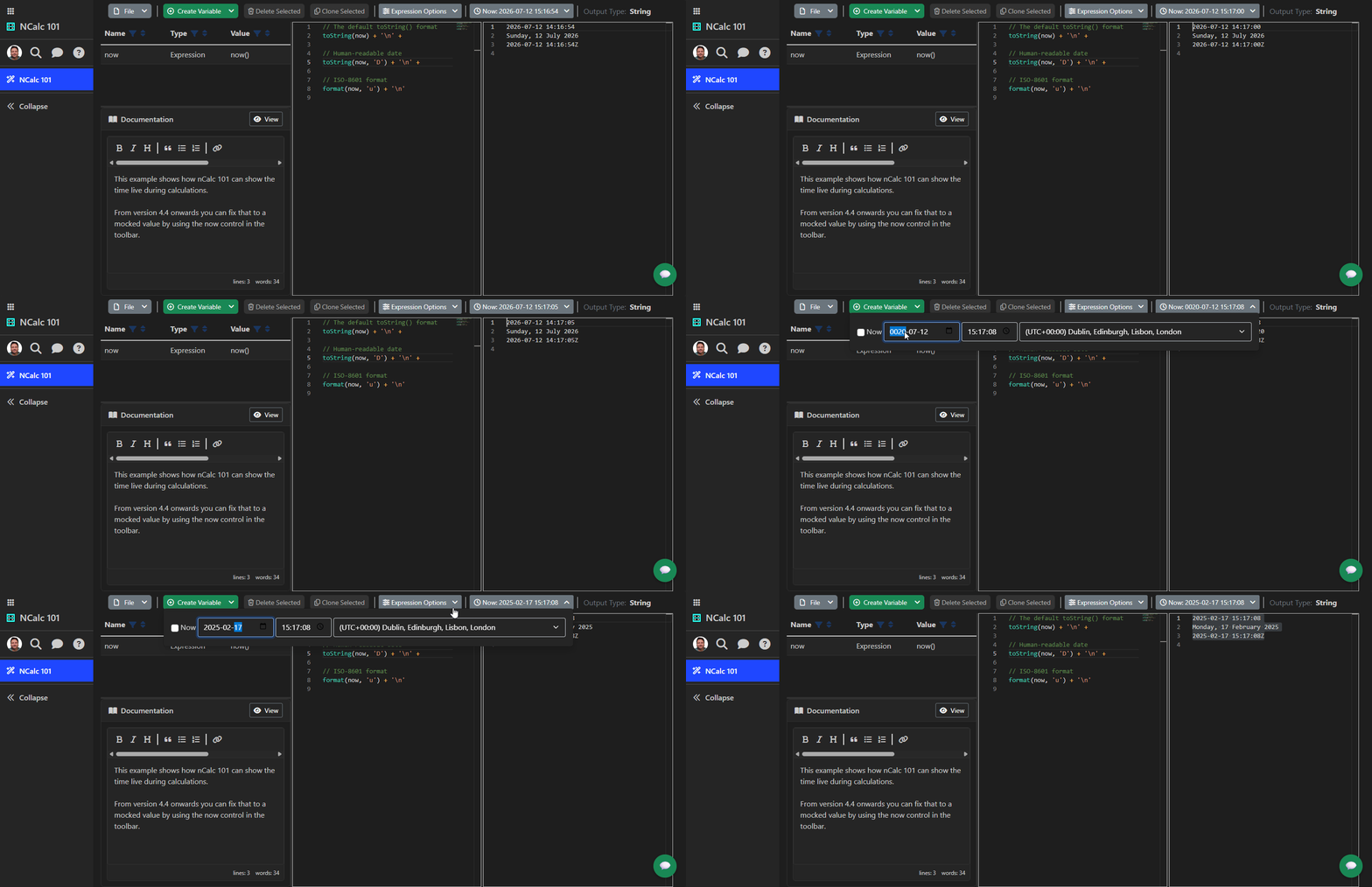
How it works
Look for the new toolbar button that reads something like Now: 2026-07-12 15:16:54:
- Leave “Now” ticked and it tracks the live clock, exactly as before - the value updates in real time as your expression evaluates.
- Untick “Now” and you can pin any date and time, in any time zone from the full system list (daylight saving is applied for you). Every time function in your expression -
now(),dateTimeIsInPast(),dateTimeIsInFuture()- then resolves against that fixed instant.
That means you can dial the clock to an out-of-hours moment, evaluate your snippet, and see exactly what it would do - deterministically, and without touching your machine’s clock.
Why it matters beyond NCalc 101
The same capability is coming to Alert Studio tests, so a test can specify a simulated “current time” and validate in-hours versus out-of-hours behaviour before anything reaches production. Under the hood it is powered by an injectable time source (TimeProvider) added to our open-source PanoramicData.NCalcExtensions library, so the exact same deterministic-time behaviour is available to everyone building on NCalc.
Availability
This lands in Magic Suite 4.4. Give it a try in NCalc 101 as soon as you are on 4.4, and let us know how you get on.